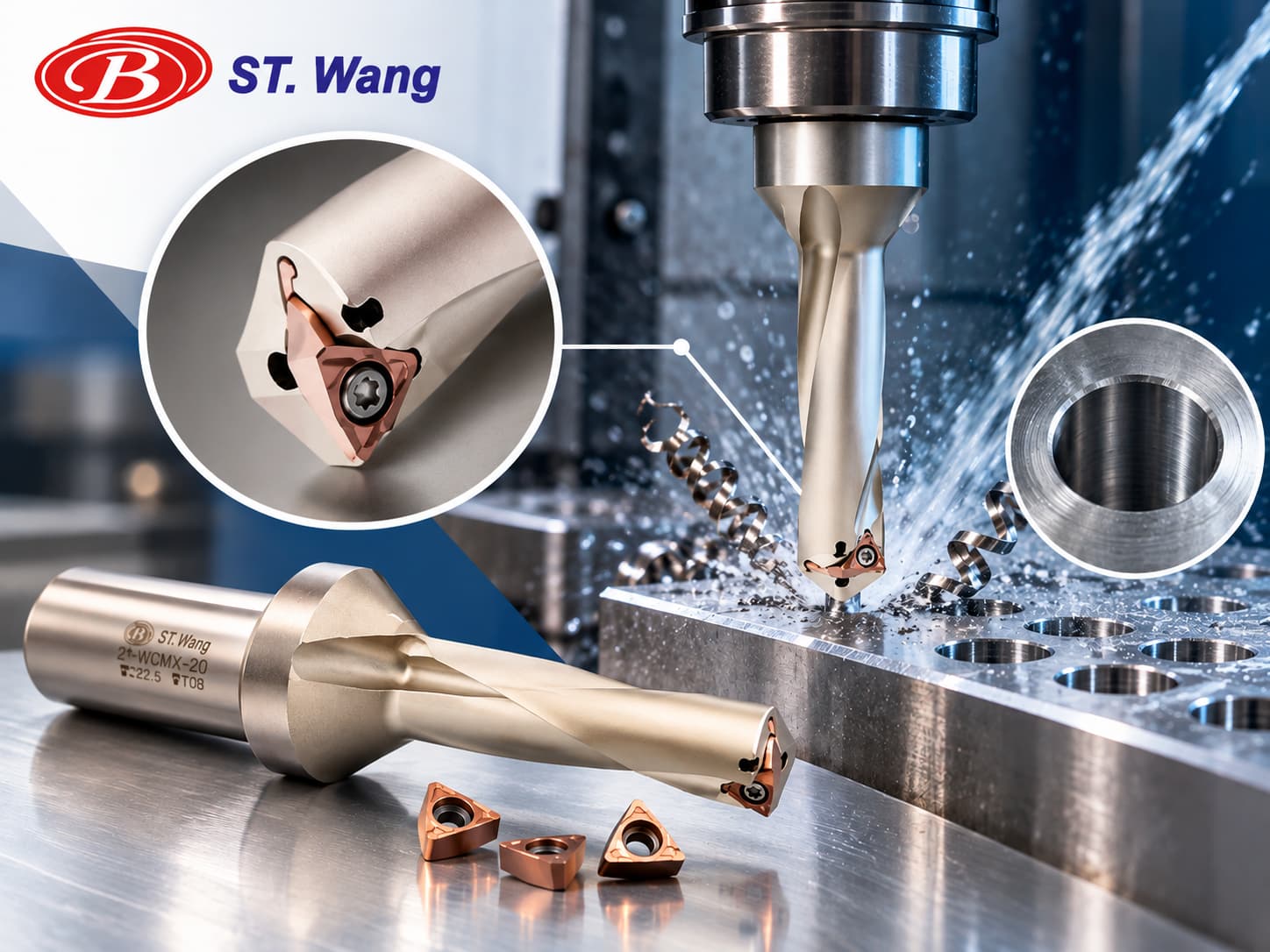
Why Does an Indexable Drill Still Vibrate or Produce Inconsistent Hole Diameters After Insert Replacement? 5 Causes and Troubleshooting Tips
Indexable drills offer several advantages in CNC drilling operations, including replaceable cutting inserts and reduced need to replace the entire drill body. However, even after installing new inserts, machining operations may still experience vibration, inconsistent hole diameters, poor surface finish, or premature insert wear. These problems are not necessarily caused by the inserts themselves. Insert installation, drill body condition, tool runout, cutting parameters, and coolant or chip evacuation conditions can also affect drilling performance.
SHANG TZANG WANG ENTERPRISE CO., LTD. specializes in CNC cutting tools and understands the challenges manufacturers may encounter during tool operation and insert replacement. This article explains five common reasons why indexable drills may continue to experience machining problems after insert replacement, along with practical inspection and troubleshooting methods to help improve hole quality and machining stability.
1. Why Is Drilling Performance Still Unstable After Replacing the Inserts?
The performance of an indexable drill depends on more than the condition of its cutting inserts. The inserts must work correctly with the drill body, toolholder, machine tool, and machining conditions to maintain stable cutting performance.
When vibration or inconsistent hole diameters occur, common symptoms include:
- Drilling vibration or unusual noise: Irregular vibration during cutting can affect machining stability.
- Oversized or inconsistent hole diameters: Machined holes may exceed the required tolerance or vary between workpieces.
- Poor hole surface finish: Visible tool marks or scratches may appear on the hole walls.
- Premature insert wear or chipping: New inserts may develop localized wear or cutting-edge damage shortly after installation.
- Poor chip evacuation: Chips may accumulate inside the hole, increasing cutting resistance or interrupting machining.
These symptoms may occur individually or simultaneously, and different problems may share the same underlying cause. If drilling problems continue after insert replacement, the installation, mechanical accuracy, and machining conditions should be checked systematically rather than immediately replacing the inserts again.
2. Cause One: Incorrect Insert Installation Creates Uneven Cutting Loads
How Does Insert Installation Affect Drilling Stability?
Cutting inserts must fit correctly against the insert pocket and locating surfaces to maintain their intended cutting position and load distribution.
If chips, oil residue, or other contaminants remain in the insert pocket during replacement, the insert may not seat properly. Incorrect insert orientation, improper screw tightening, or incompatible insert specifications may also cause abnormal cutting loads.
For indexable drills that use separate center and peripheral inserts, it is particularly important to confirm that each insert is installed in its designated position.
How to Inspect and Correct the Problem
- Remove the inserts and inspect the pockets for chips or foreign material.
- Clean the locating surfaces and check for visible damage or wear.
- Verify that the insert model, dimensions, and installation position match the drill body specifications.
- Inspect the fastening screws and threads for damage.
- Tighten the inserts according to the tool manufacturer's specified procedure and torque requirements.
Key Takeaway: When replacing inserts, always inspect the cleanliness of the insert pockets, insert positioning, and fastening conditions. Even a brand-new cutting edge may perform poorly if the insert is not seated correctly.
3. Cause Two: Drill Body or Insert Pocket Wear Prevents Proper Positioning
Why Might New Inserts Fail to Improve Drilling Performance?
Although indexable drills allow cutting inserts to be replaced, the drill body itself remains exposed to cutting forces, vibration, and chip abrasion during operation.
If the locating surfaces of an insert pocket become worn, deformed, or damaged by impact, installing new inserts may not restore the original positioning accuracy.
Special attention should be given to the insert pockets if the drill has previously experienced severe insert chipping, chip blockage, or excessive vibration.
How to Inspect and Correct the Problem
- Inspect the insert pocket surfaces: Look for dents, excessive wear, chipped edges, or deformation.
- Examine the drill body: Check for impact marks, cracks, or other visible damage.
- Verify insert seating: Confirm that the installed inserts do not have abnormal gaps or misalignment.
- Compare with a drill body in good condition: When safe and practical, compare machining performance using another compatible drill body of the same specification.
If the insert pocket is damaged, do not attempt to compensate by applying excessive tightening torque or modifying the locating surfaces without manufacturer approval. Follow the manufacturer's recommendations for repair or drill body replacement.
Key Takeaway: Replaceable inserts do not eliminate the importance of drill body condition. If the insert pocket is damaged, replacing the cutting inserts alone may not correct hole diameter errors or drilling vibration.
4. Cause Three: Tool Runout or Insufficient Rigidity Causes Hole Diameter Errors
How Does Tool Runout Affect Drilling Accuracy?
Tool runout occurs when a rotating tool deviates from its intended rotational axis.
Improper installation or problems involving the toolholder, spindle, or drill assembly can increase runout. This may create uneven cutting loads and contribute to vibration, hole diameter variation, and abnormal insert wear.
Insufficient workpiece clamping rigidity can also allow movement or vibration during drilling, reducing machining accuracy.
How to Inspect and Correct the Problem
- Check that the toolholder, spindle taper, and contact surfaces are clean.
- Verify that the drill and toolholder are installed according to the required procedures.
- Measure runout using appropriate inspection equipment and compare the result with the manufacturer's specified measurement location and tolerance.
- Check whether the tool overhang is unnecessarily long.
- Confirm that the workpiece is securely clamped and cannot shift during machining.
Excessive tool overhang generally reduces overall system rigidity. Where drilling depth and chip evacuation requirements allow, the tool overhang should be kept as short as practical.
Key Takeaway: If hole diameter errors continue after insert replacement, inspect tool runout, toolholder installation, spindle condition, tool overhang, and workpiece clamping rigidity.
5. Cause Four: Cutting Speed and Feed Rate Do Not Match the Machining Conditions
Why Should Cutting Parameters Be Checked After Insert Replacement?
Different insert grades, chipbreaker geometries, and cutting-edge designs may require different cutting conditions.
Even when two inserts look similar, they may not perform correctly under identical cutting speeds and feed rates. If the replacement insert has a different grade, geometry, or intended workpiece material, the original cutting parameters may no longer be appropriate.
- Excessive feed rate: May increase cutting forces, vibration, or cutting-edge damage.
- Insufficient feed rate: Under certain conditions, may cause rubbing, poor chip formation, or unstable cutting.
- Excessive cutting speed: May increase cutting temperature and accelerate insert wear.
- Insufficient cutting speed: May increase the risk of built-up edge formation or unstable cutting with certain workpiece materials and insert combinations.
These effects are not universal. The appropriate cutting conditions depend on the insert specification, workpiece material, machine capabilities, and manufacturer's recommendations.
How to Inspect and Correct the Problem
First, verify the replacement insert's model, grade, chipbreaker geometry, and recommended workpiece materials. Then compare the current cutting speed and feed per revolution with the manufacturer's recommended range.
When adjusting machining parameters, change one major variable at a time and record vibration, chip formation, hole diameter, and insert wear. This makes it easier to determine whether the adjustment has improved drilling performance.
Key Takeaway: New inserts do not always perform correctly with previously established cutting parameters. If insert specifications or machining conditions change, cutting speed and feed rate should be reviewed.
6. Cause Five: Insufficient Coolant Supply or Poor Chip Evacuation Increases Cutting Resistance
Why Are Coolant Supply and Chip Evacuation Important?
During drilling, chips must be removed effectively from the hole to reduce the risk of chip recutting, accumulation, and blockage.
Insufficient coolant supply, blocked internal coolant channels, or unsuitable chip formation can increase cutting resistance. These conditions may lead to vibration, scratches on the hole walls, or insert chipping.
Chip evacuation becomes particularly important when drilling deeper holes because chips must travel a longer distance before leaving the cutting area.
How to Inspect and Correct the Problem
- Confirm that the coolant delivery method meets the drill manufacturer's requirements.
- Check coolant pressure, flow rate, and concentration against tool and machine specifications.
- Inspect internal coolant channels and filtration systems for blockages.
- Observe chip formation and check for long, tangled, or accumulated chips.
- Review whether feed rate or drilling strategy should be adjusted for the drill specification and hole depth.
Increasing coolant pressure should not automatically be considered the solution to every chip evacuation problem. Chip formation also depends on workpiece material, insert geometry, and cutting parameters.
Key Takeaway: Poor coolant delivery or chip evacuation can increase cutting resistance. If vibration or poor hole surface finish continues after insert replacement, coolant and chip removal conditions should also be inspected.
7. Quick Troubleshooting Guide for Indexable Drill Problems
When machining problems continue after installing new inserts, the following table can help identify which areas should be inspected first.
| Machining Problem | Items to Check First | Recommended Inspection |
|---|---|---|
| Drilling vibration or unusual noise | Insert installation, tool rigidity, cutting parameters | Check insert seating, tool runout, and cutting loads |
| Oversized or inconsistent hole diameters | Tool runout, insert pocket wear, workpiece clamping | Inspect positioning accuracy and clamping stability |
| Poor hole surface finish or scratches | Chip evacuation, cutting parameters, insert condition | Inspect chip formation and cutting edges |
| Premature insert chipping | Insert installation, cutting loads, chip evacuation | Verify insert specifications and check for chip blockage |
| Uneven insert wear | Insert positioning, drill body condition, tool runout | Inspect insert pocket surfaces and tool installation |
This troubleshooting table is intended for preliminary diagnosis. Different symptoms may share common causes, so a single symptom should not be treated as definitive evidence of a particular problem.
If abnormal cutting conditions occur, stop the operation and inspect the inserts and drill body for damage before making further adjustments.
8. How Can You Prevent Drilling Problems After Insert Replacement?
In addition to troubleshooting existing problems, establishing a standardized insert replacement and inspection procedure can help reduce the likelihood of recurring machining issues.
Consider the following steps whenever cutting inserts are replaced:
- Verify insert specifications: Confirm the model, grade, geometry, and compatible drill body.
- Inspect the insert pockets: Remove chips and contaminants and check the locating surfaces for damage.
- Install and tighten correctly: Follow the manufacturer's positioning and screw-tightening instructions.
- Check tool and workpiece clamping: Verify toolholder installation, tool overhang, and workpiece stability.
- Review cutting parameters: Confirm cutting speed, feed rate, and coolant conditions.
- Perform first-piece inspection: Under appropriate safety procedures, check hole diameter, surface finish, chip formation, and insert condition.
For repetitive CNC drilling operations, maintaining records of insert models, cutting parameters, and previous troubleshooting results can make future problem identification more efficient.
9. Frequently Asked Questions (FAQ)
Q1: Why Does My Indexable Drill Still Vibrate After Replacing the Inserts?
Possible causes include incorrect insert installation, worn insert pockets, tool runout, insufficient rigidity, or unsuitable cutting parameters. Begin by checking insert seating and pocket condition before examining tool installation and machining conditions.
Q2: Does an Oversized Hole After Insert Replacement Mean the Insert Size Is Incorrect?
Not necessarily. In addition to insert specifications, tool runout, insert pocket damage, unstable workpiece clamping, and machining vibration may affect hole diameter. Measure the hole and inspect the tool assembly before identifying the cause.
Q3: Does an Indexable Drill Body Need to Be Replaced Regularly?
There is no universal replacement interval for every indexable drill body. Replacement should depend on operating conditions, manufacturer recommendations, and inspection results. If the insert pocket surfaces show significant wear, deformation, or damage, repair or replacement should be evaluated.
Q4: If a New Insert Chips Quickly, Is the Cutting Speed Too High?
Excessive cutting speed may be one cause, but feed rate, insert installation, tool rigidity, workpiece material, and chip blockage may also contribute. Verify correct insert installation before reviewing the recommended cutting conditions.
Q5: Should CNC Cutting Parameters Be Adjusted After Replacing Inserts?
If the replacement inserts have the same model and specifications and the machining conditions remain unchanged, the previously validated parameters can generally be used as a starting point for verification. However, changes in insert grade, geometry, or workpiece material require a review of the manufacturer's recommended cutting conditions.
10. Conclusion: Replacing Inserts Is Only the First Step Toward Stable Drilling
If an indexable drill continues to experience vibration, inconsistent hole diameters, or poor surface finish after insert replacement, the new inserts should not automatically be considered defective.
Insert installation, drill body wear, tool runout, cutting parameters, and coolant or chip evacuation conditions can all affect machining performance. A systematic inspection process can help identify the underlying cause, reduce unnecessary insert replacement, and minimize machining losses.
Established in 1987, SHANG TZANG WANG ENTERPRISE CO., LTD. provides a range of CNC cutting tools, including indexable high-speed drills, rapid core-stay drills, and large-diameter indexable deep-hole drills.
Need Help Reviewing Your Indexable Drilling Conditions?
If you are experiencing unstable drilling performance after replacing cutting inserts, provide your drill model, workpiece material, hole diameter, drilling depth, machine specifications, and current cutting parameters. Contact SHANG TZANG WANG ENTERPRISE CO., LTD. to discuss suitable cutting tools and possible improvements to your machining process.
Explore Our Indexable Drill Series